 START HERE
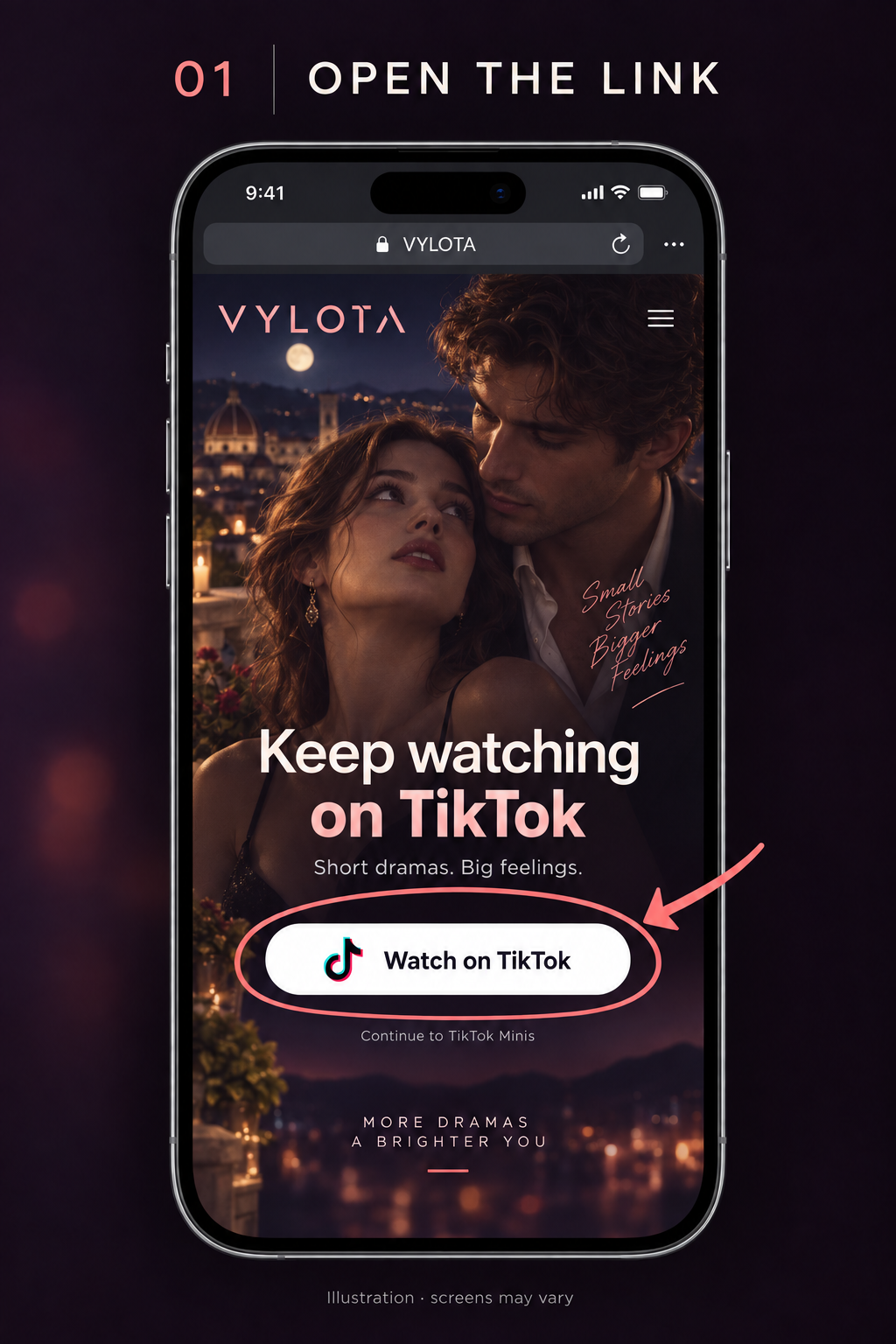
Tap “Watch on TikTok”
You’re already on the guide. Tap the viewing button to open our VYLOTA Minis link.
Watch on TikTok ↗ VYLOTA
Need a hand?
VYLOTA
Need a hand?
FROM YOUR FEED TO THE FULL STORY
That moment got your attention.
See what happens next on VYLOTA, inside TikTok.
Loading your viewing link…
Watching on your phone?
Scan this code to open the VYLOTA entry link.
Already on your phone? Tap “Watch on TikTok” above.

A little curiosity.
A whole new story.
ONE LITTLE SWITCH. MORE STORY.
No separate VYLOTA app. You’ll watch inside TikTok.
Illustrated guide · Your screens and button labels may look different.
On iPhone, use Safari if the link stays inside the current app.
Open this guide in Chrome on Android to try opening the app.
Use the regular TikTok link instead ↗
START HEREYou’re already on the guide. Tap the viewing button to open our VYLOTA Minis link.
Watch on TikTok ↗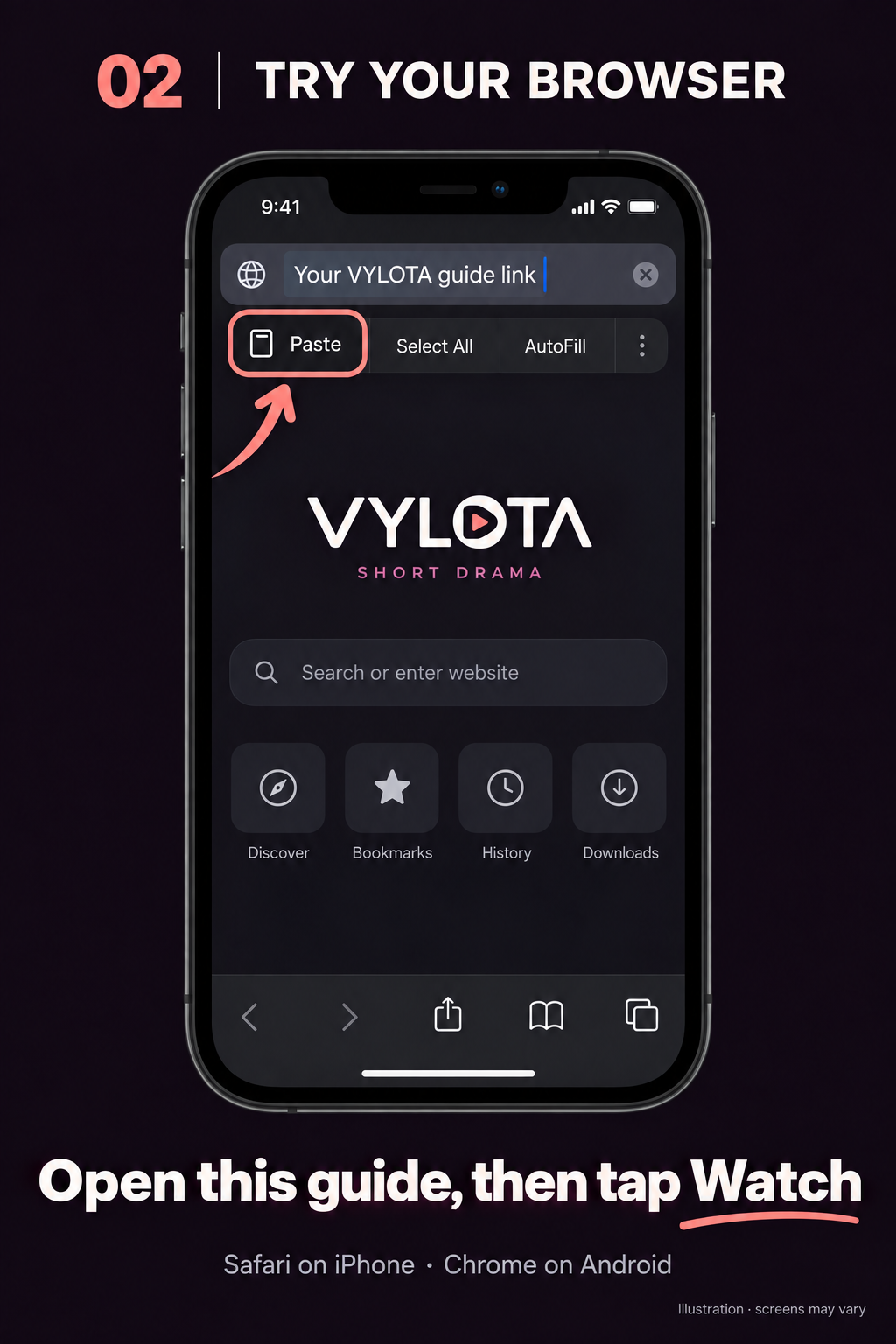 ONLY IF THE LINK DOESN’T OPEN
Copy this guide’s link below. Open Safari, paste it into the address bar and go. When this guide opens, tap “Watch on TikTok” again.
Copy this guide’s link below ↓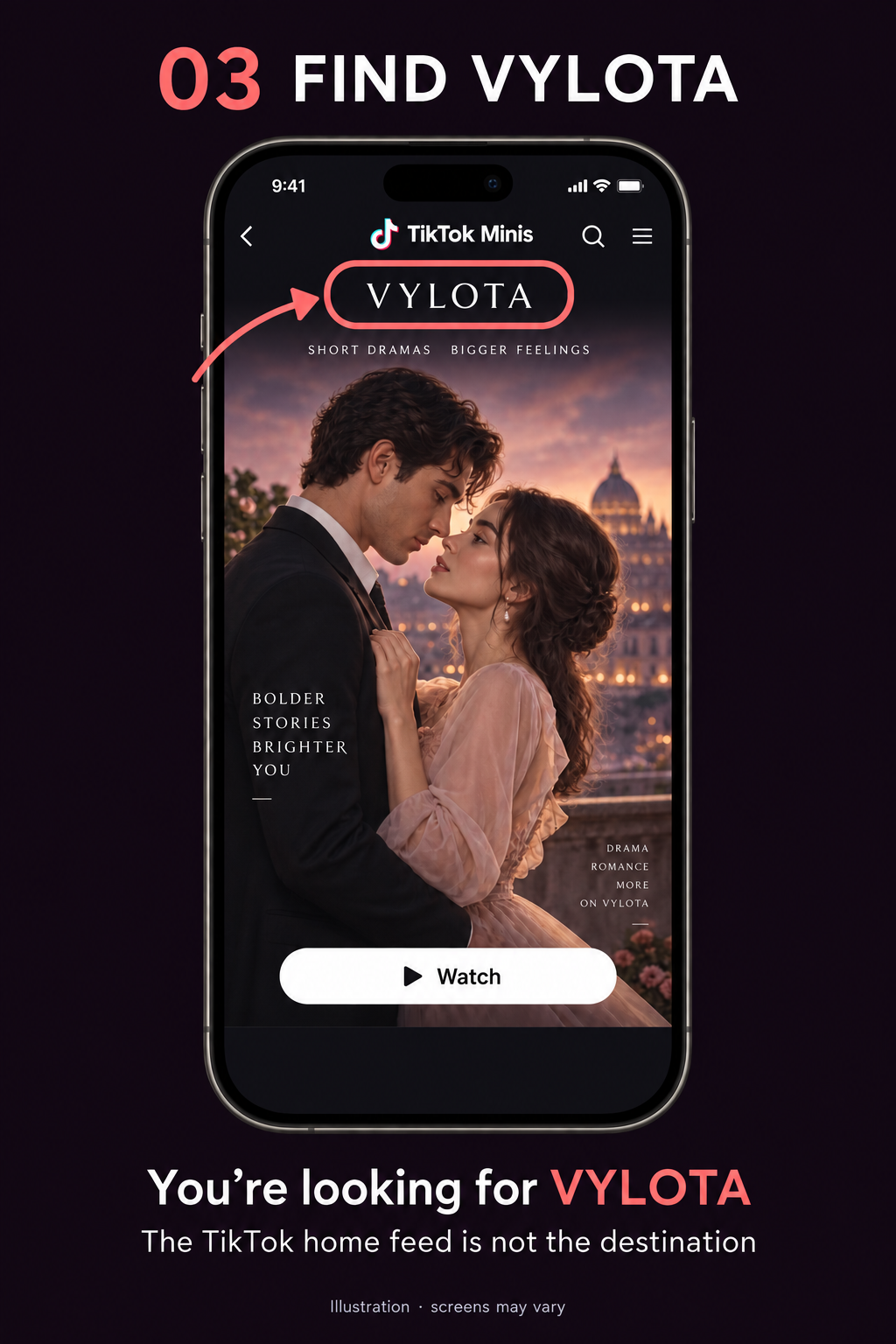 CHECK YOUR DESTINATION
Once VYLOTA opens, choose a drama and follow its viewing instructions. If you’re on TikTok’s home feed, return here and try the Minis link again.
Seeing a QR code instead? Read the QR guide ↓
MATCH THE SCREEN IN FRONT OF YOU
The desktop VYLOTA entry page shows the TikTok logo, a QR code and an instruction to scan it using TikTok.
If the code is on your computer, leave it visible and have your phone ready.
Follow the entry page’s instruction to scan with TikTok on your phone. Scanner placement can differ between app versions.
You can’t point your phone’s camera at its own screen. Open the entry link on another screen if available. Don’t assume an ordinary camera scan will open the Mini.
A LITTLE HELP GETTING THERE
In-app browsers may keep the link inside the current app. Open this guide in your phone’s browser, then tap “Watch on TikTok” again.
Use “Copy this guide’s link” on this page. Open Safari on iPhone or Chrome on Android, paste it into the address bar and go. Once this guide opens in your browser, tap “Watch on TikTok”. If asked, continue in TikTok.
Opening a browser does not guarantee that TikTok or VYLOTA will launch. Follow the screen you actually see, including the QR-code guide above.
Install TikTok from your phone’s App Store or Google Play, then return to this page and tap “Watch on TikTok”.
Minis are experiences that run inside TikTok. VYLOTA brings short dramas to that experience, so you don’t need a separate VYLOTA app.
A story-specific link may take you to that story. If VYLOTA opens on its home screen, look for the drama you saw on Instagram.
Check that TikTok is up to date, then try the link again. Availability may depend on your region or account. If it’s still unavailable, return to the social media post or profile where you found this link for updates.